This story is composed from real beta-tester feedback, with names changed.
The setup
Priya is 38, a project manager. Her father Raj, 71, lives alone a few cities away, and likes it that way.
Raj is sharp, independent, and proud. He does not want to be checked up on — but he does keep forgetting parts of his daily routine.
Priya wants three things, without nagging:
- A live view of what Dad has done today, without calling to ask
- An instant alert if an important reminder is missed
- The ability to add or change a reminder remotely when his routine changes
Day 1: The setup, in 8 minutes
Priya visits for a long weekend. After dinner she sits with Raj and sets up PillDrops on his phone.
The setup goes the way our setup guide describes.
- Language → English
- Email account (Marlene's existing Gmail)
- Role: "Just me"
- Five reminders added, color-coded so Raj can recognize them at a glance
- Persistent reminders for all five — "I want my dad to actually hear them," Priya says
Then Priya opens Settings › Family sharing › Invite family.
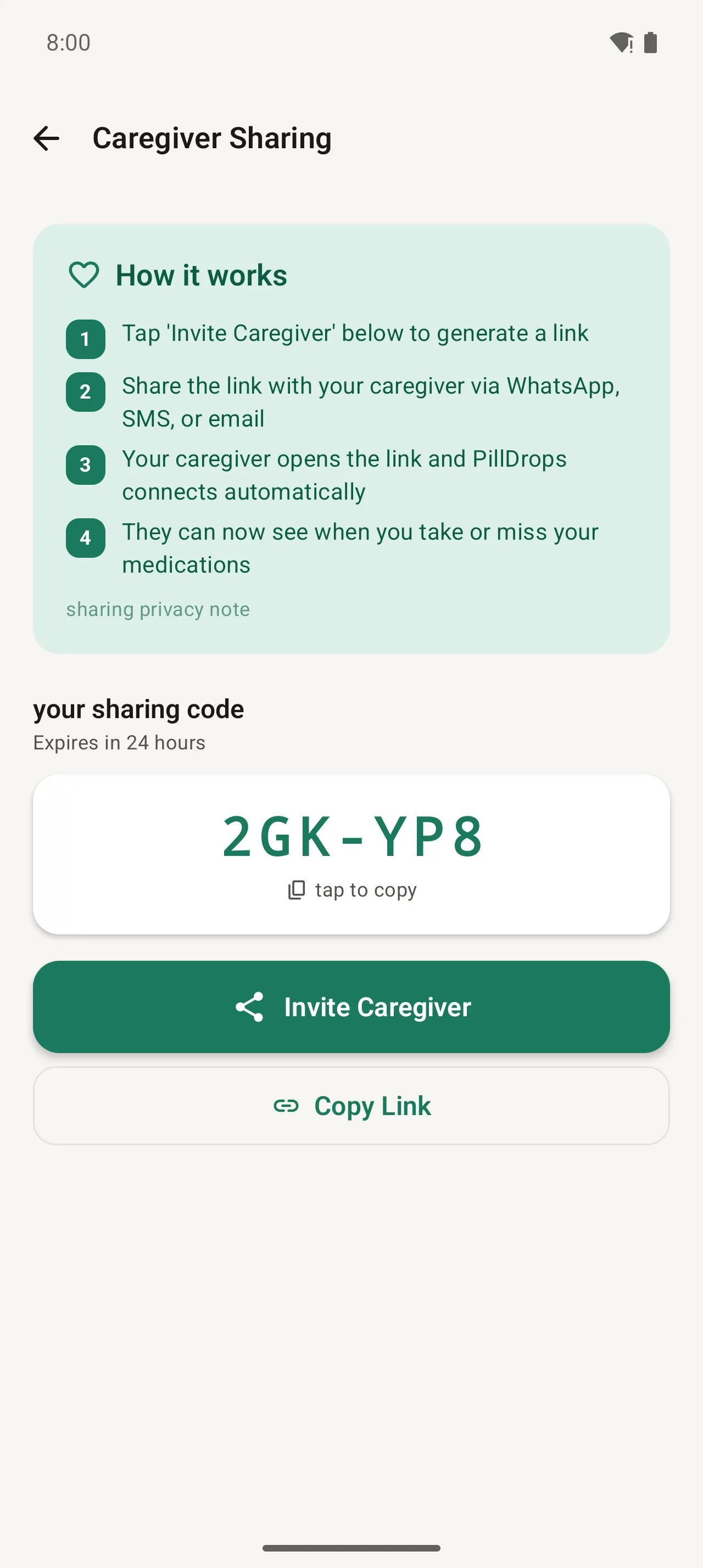
Priya copies the link, texts it to herself, opens it on her own phone, and the two are connected.
Raj closes his phone and hands it back. "There. It's all yours. Don't fuss over me."
Day 7: Priya's screen, back home
Priya is home. It's Tuesday evening. She opens PillDrops and sees Dad's day at a glance:
- 7 AM: Morning walk — ✓ Done at 7:04 AM
- 8 AM: Vitamins — ✓ Done at 8:02 AM
- 8 AM: Blood-pressure pill — ✓ Done at 8:12 AM
- 1 PM: Drink water — upcoming
- 6 PM: Evening stretch — upcoming
- 9 PM: Wind-down routine — upcoming
Three of three morning reminders done on time. Priya doesn't text Dad. There's nothing to ask.
"Before PillDrops I would call Dad every night to check in. Half the time it felt like nagging. Now I just glance at the app and relax."
— Priya, beta tester
Day 14: The catch
Tuesday again, evening. Priya's phone buzzes with a notification she set up to care about.
Priya checks. Dad usually never misses the evening one. She gives him a quick call.
Raj picks up, sounds distracted. "I was watching the match. Did I forget?"
"Open your phone. Tap the green button."
Raj finds PillDrops, sees the persistent reminder still showing, and taps Done.
Total damage: a reminder missed by 35 minutes, caught before it mattered — because the alert reached Priya, not just Dad's silenced phone.
Day 30: The routine change
Raj's routine shifts — his evening reminder needs to move an hour earlier.
Priya, at her own desk, opens PillDrops, taps the reminder, and changes the time.
That's it. The change pushes to Raj's phone instantly. The next evening it rings at the new time.
What did the app actually save?
Add it up:
- ~30 minutes a week of "did you do it?" calls — gone, replaced by a glance.
- One missed important reminder — caught at 30 minutes instead of the next morning.
- One trip across the country — the routine change handled remotely in seconds.
- Priya's mental load — the constant low-grade worry of "is Dad okay?"
Cost: $29.99 a year. One Plus plan covers Priya, Raj, and the rest of the family.
How to replicate this for your own family
Three steps, in order:
- Set up your family member's phone with PillDrops using our setup guide.
- Generate an invite code in Settings › Family sharing and open it on your own phone.
- Subscribe to Plus on your own phone. One subscription covers the whole family.
Try it with your own family
Free forever for basics. $29.99/year for Plus with family sharing.
Download PillDrops — free