Medisafe has been the default medication reminder app for almost a decade. As of January 1, 2026, it's no longer reliably free in many regions — and "what should I switch to?" is one of the fastest-rising health-app searches on Google. This post is a straight comparison: features, price, caregiver workflow, and a how-to for switching.
Why people are leaving Medisafe in 2026
For years, Medisafe was the answer when someone asked "what's a good medication reminder app?". The free tier was generous: persistent alarms, dose tracking, drug interaction warnings, the Medfriend caregiver-alert feature.
That changed on January 1, 2026. Per Medisafe's terms-and-conditions update, "continued access to the Service in certain countries outside the United States will require an active paid subscription after any applicable free trial. Users who do not purchase a subscription by that date may have their access to the Service suspended or limited." Premium pricing: $4.99/month or $39.99/year.
Reaction has been predictable. Users who built years of dose history feel locked in — pay or lose the data. Forums (the MoneySavingExpert thread is the most-cited) are full of people asking what's the alternative?
That's the question this post answers.
Feature-by-feature comparison
| Feature | Medisafe | PillDrops |
|---|---|---|
| Free tier (after Jan 2026) | Limited / paywalled in many regions | Free forever — 2 meds, alarms, history |
| Premium yearly price | $39.99/yr | $29.99/yr |
| Premium monthly price | $4.99/mo | $3.99/mo |
| Persistent full-screen alarm | Yes | Yes |
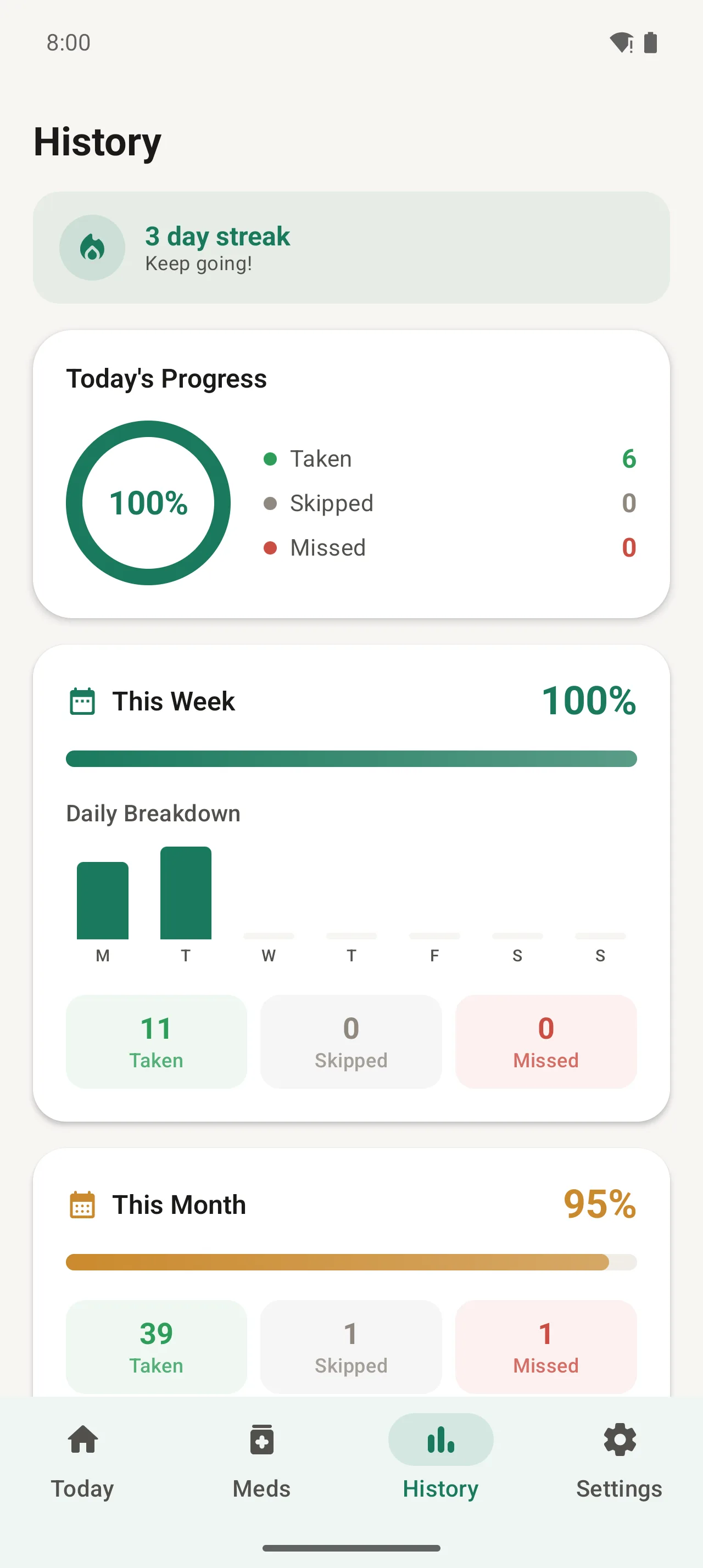
| Dose history & adherence stats | Yes | Yes (with streaks & daily breakdown) |
| Drug-interaction checker | Yes | Not yet (planned Q3 2026) |
| Caregiver alerts | Yes (Medfriend) | Yes (up to 5 caregivers) |
| Caregiver remote edit | No — view-only | Yes — full control |
| Multi-senior dashboard | No | Yes (manage both parents) |
| AI prescription scanner | No | Yes (Plus) |
| PDF reports for doctors | Yes (Premium) | Yes (Plus) |
| Refill stock alerts | Yes (Premium) | Yes (Plus) |
| Cloud backup | Yes (Premium) | Yes (Plus, end-to-end encrypted) |
| Banner ads in free tier | Yes | Never — no ads anywhere |
| Number of supported languages | 15+ | 12 (more added quarterly) |
| Senior keeps veto power on caregiver edits | N/A (no remote edit) | Yes (approval mode + trusted-caregiver mode) |
The big difference: caregiver remote control
Both apps let a family member see when a dose is taken or missed. Medisafe calls it Medfriend; PillDrops calls it caregiver sharing. On read-only monitoring, the apps are roughly equivalent.
The structural difference is what happens when the doctor changes the prescription, or a new medication gets added.
- In Medisafe: someone has to physically tap on the senior's phone. Either the senior does it (often poorly, especially with dosage edits), or the caregiver flies out, drives over, or walks the senior through it on a video call.
- In PillDrops: the caregiver edits on their own phone. The change pushes to the senior's phone instantly. The persistent alarm reschedules itself with the new time or dose. No tap needed on the senior's side.
This is the single biggest reason long-distance adult-child caregivers switch. Sarah's Story walks through the exact workflow with screenshots.
Price comparison & what you actually pay
| Plan | Medisafe | PillDrops |
|---|---|---|
| Free | Limited usage in many regions | 2 meds, persistent alarms, history, 3 appointments, 1 contact |
| Monthly | $4.99/mo | $3.99/mo |
| Yearly | $39.99/yr | $29.99/yr |
| You save (yearly) | — | $10/yr (25% less) |
| Free trial | Yes | Yes (7 days, no card on Free) |
| Family/multi-user pricing | Per user | One Plus subscription covers the whole family (up to 5 caregivers + the senior) |
If you're a single user, you save $10/year switching. If you're a family of three or more (one senior + multiple caregivers), the gap widens fast — Medisafe charges per Premium account; PillDrops Plus covers everyone connected.
Alarm reliability
Both apps use persistent full-screen alarms that bypass Do Not Disturb on Android. On both, the dose card stays on screen with Taken / Snooze / Skip buttons until the user responds. Sound options on PillDrops include the default ringtone library plus a "phone call" tone built specifically for medication. Medisafe Premium includes branded "Medtone" voices ("Hello, please remember to take your medication") which some users love and others find unsettling — YMMV.
Both apps need battery-optimization exceptions on aggressive Android skins (Xiaomi, Oppo, OnePlus, Samsung One UI). Both warn you about this during setup. Reliability in our testing is comparable.
AI prescription scanner
This is a PillDrops-only feature. Open the Meds tab, tap Scan Prescription, point your camera at a pill bottle label or printed prescription. The AI extracts:
- Medication name (matched against drug databases for spell-correction)
- Dosage (e.g. "50 mcg, 1 tablet")
- Frequency ("twice daily", "every morning")
- Prescriber notes ("with food", "before bedtime")
You review the parsed result, edit anything wrong, and tap Save. A 6-medication regimen takes about 90 seconds to add this way, vs 5+ minutes manually. It's the fastest way for someone migrating from Medisafe to rebuild their list.
Privacy & data ownership
Both apps store medication data on-device by default. Differences:
- Ads: Medisafe shows banner ads in the free tier. PillDrops shows none, ever. Health data + ads is a combination we won't ship.
- Cloud sync encryption: Medisafe cloud sync uses standard server-side encryption. PillDrops cloud sync is end-to-end encrypted — even our own servers can't read your medication list.
- Data sale: Neither app sells your medication data to third parties.
How to migrate from Medisafe to PillDrops in 10 minutes
Medisafe doesn't offer a public export tool, so migration is a re-entry process. Here's the fastest way:
Install PillDrops alongside Medisafe
Don't uninstall Medisafe yet — you'll want it for reference. Install PillDrops from Google Play and run through the 5-minute setup.
Start the 7-day Plus trial
Subscribe to Plus (no charge for 7 days). The AI prescription scanner is the migration shortcut — you'll want it for steps 3-4.
Scan each pill bottle
From the Meds tab, tap Scan Prescription. Point at each bottle label. The AI extracts name, dosage, frequency, notes — you tap Save. Six medications take about 90 seconds total.
Cross-check times against Medisafe
Open Medisafe one last time. Walk through your scheduled times and verify they match in PillDrops. Edit any that drifted (the AI gets timing right ~95% of the time).
Set up caregiver sharing
If you used Medfriend in Medisafe, set up the equivalent (and stronger) flow in PillDrops: Settings › Share with caregiver › Invite Caregiver. Send the code to your family.
Wait one week, then uninstall Medisafe
Run both apps for a week to make sure PillDrops is firing alarms reliably on your phone (especially if you're on Xiaomi/Oppo/OnePlus). Once you're confident, uninstall Medisafe and cancel any active Premium subscription.
Verdict: who should pick what
Pick Medisafe if…
- You strongly value the drug-interaction checker (PillDrops doesn't have one yet, planned Q3 2026)
- You're a US user grandfathered into the old free tier and don't need caregiver remote edit
- You like the Medtone voice library and don't mind banner ads
Pick PillDrops if…
- You're a caregiver (or have one) — the remote edit + multi-senior dashboard are the killer features
- You want a generous free tier that's not at risk of paywall changes
- You want to save $10/year and skip the ads
- You add new medications often and want the AI scanner
- Your family needs one subscription that covers everyone watching the senior, not per-user pricing
For most family-caregiver scenarios — the people leaving Medisafe in 2026 — PillDrops is the better fit, and the migration is a 10-minute project.
Once you've decided, the next step is to walk through setup with our beginner's guide: How to set up PillDrops in 5 minutes. Or read the real-world workflow in Sarah's Story.
Switch in 10 minutes
Install free, scan your bottles, you're set. $29.99/year for the Plus plan with caregiver remote control — $10/year less than Medisafe Premium.
Download PillDrops — free